

AI video platforms: buy the workflow, not the demo
HeyGen, Invideo, OpenArt, DaVinci AI and Runway compared—what they do, what the price actually buys, and what we could verify from users.
The short answer
Shortlist HeyGen for presenter-led video and localization, Invideo for generation and editing together, OpenArt or DaVinci AI for multi-model exploration, and Runway for creative production. Compare the cost of an acceptable, editable result—not credit counts or demo quality alone.
Key takeaways
- Choose by workflow: presenters, integrated editing or multi-model generation.
- Credits are not a shared currency; compare exact models, settings and accepted output.
- Introductory and annual-equivalent prices are not month-to-month renewal quotes.
- Measure cost per accepted second, including retries and editing labor.
- Verified feedback is limited to DaVinci mobile-app anecdotes, not cross-platform Reddit/X sentiment.
Researched November 27, 2026 · Research-based comparison, not a hands-on benchmark.
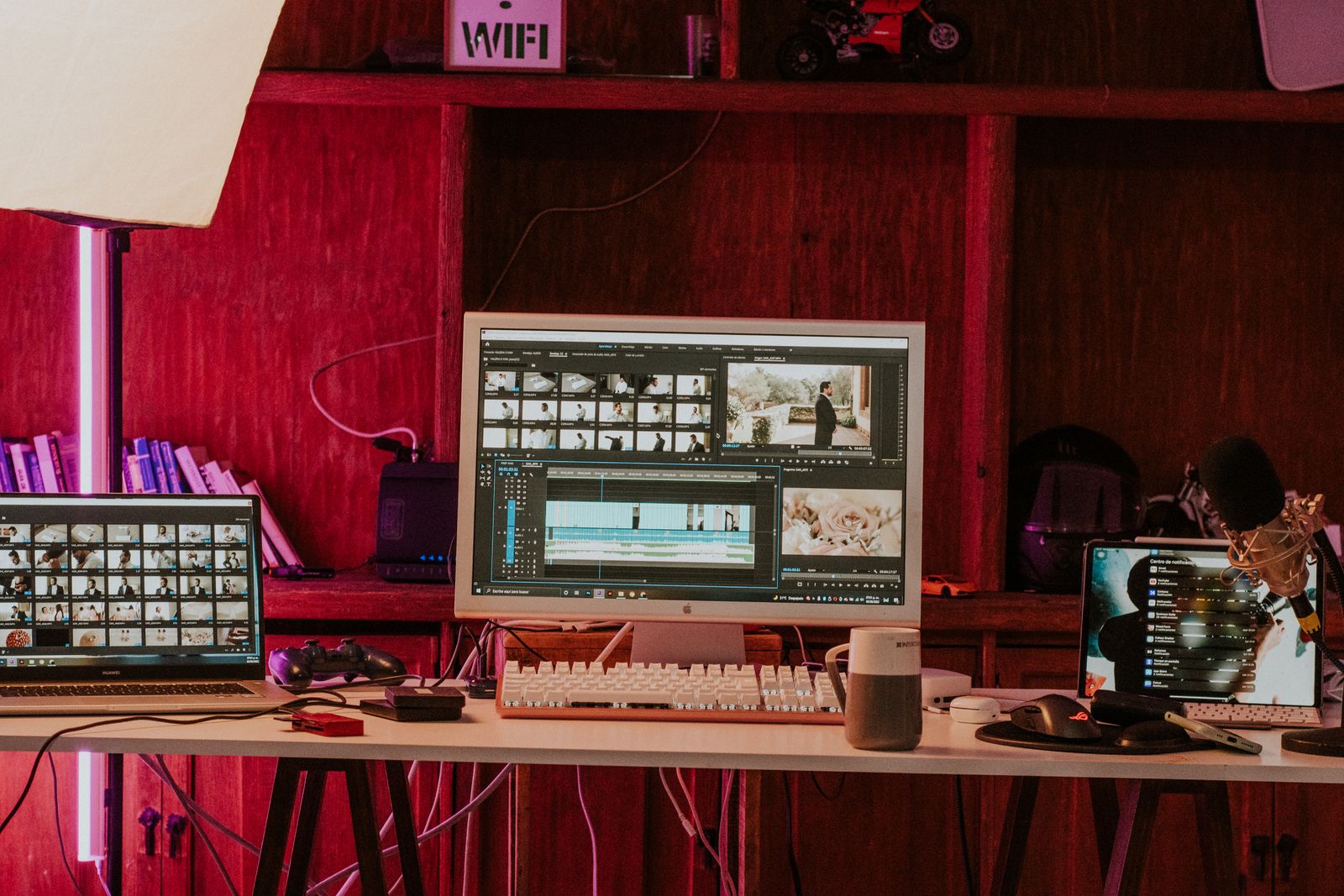
Generating a shot is only one part of finishing a video. Illustrative photograph—not a screenshot of the products reviewed. Photo by Amar Preciado on Pexels.
The short answer: shortlist HeyGen for presenter-led video and localization; Invideo for an integrated generation-and-editing workflow; OpenArt or DaVinci AI for exploring multiple visual models; and Runway as a creative-production alternative. Those are workflow recommendations, not measured quality rankings: the subscription price matters less than the cost of getting an acceptable, editable result.
An eight-second demo can look like the future. Producing twelve consistent shots, fixing a pronunciation, and discovering that your subscription excludes the model you wanted feels rather more like procurement.
This guide separates three things vendors tend to bundle together: the model, the interface, and the finished-video workflow. It also separates verified product documentation from user allegations. We did not run a controlled generation test, so there are no suspiciously precise “realism scores” here.
What are you actually buying?
A video model generates or transforms footage. A platform packages models with credits, editing, storage, presets and billing. An avatar workflow adds another requirement: keeping a presenter recognizable while delivering a script.
The boundaries now overlap. HeyGen’s current pricing includes general video generation alongside avatars; Invideo combines model access with a timeline editor; OpenArt and DaVinci advertise multi-model suites. Comparing them as interchangeable text-to-video boxes misses the actual purchase decision. [1–4]
HeyGen: start here when the person is the product
HeyGen’s Creator plan lists a custom video avatar using your likeness and voice, 1080p export, branding removal, and 175-plus languages and dialects. Pro adds Avatar 6 Pro, 4K export and translation-script editing. Its pricing page also lists Video Agent and third-party model access. [1]
My read: this is the most directly aligned shortlist entry for training presenters, localized explainers and repeatable spokesperson content. But language coverage is not proof that your accent, product names or emotional delivery will sound right. Test the actual script—not “Hello, welcome to our company.”
Invideo: pay attention to assembly, not just generation
The Starter card includes a timeline editor, color/audio/3D tools, premium stock footage and 200GB storage. It grants Agent Two Lite and selected Seedance variants, but explicitly excludes Seedance 2.0 and 2.5. A model appearing elsewhere on the website does not mean your plan includes it. [2]
My read: shortlist it when you want generation and finishing in one workspace. Ask whether you can replace one scene, revise narration and change captions without regenerating everything. Invideo’s help page says editing existing videos and downloading already-generated content do not consume credits. New generations do. [5]
OpenArt: a visual workbench, with video inside it
OpenArt lists image, video and audio models, consistent-character allowances, parallel generation and access to Director. Starter has 4,000 monthly credits and eight parallel generations; Plus has 12,000 and sixteen. The displayed video estimates explicitly exclude Director. [3]
My read: it is a sensible shortlist for a reference-image-first workflow: develop the subject, explore looks, then animate selected images. “Consistent characters” is a feature listing, not evidence that a face or product label will survive every camera angle.
DaVinci AI: resolve the name before comparing the bill
Here, DaVinci AI means davinci.ai, the HubX visual-generation product. Its site lists text-to-video, image-to-video, upscaling and multiple model families. Its mobile app is linked from that site. [4]
It is not Blackmagic Design’s DaVinci Resolve, an editing, color, effects and audio application with a free version and a $295 Studio purchase listed on its website. Resolve belongs in a finishing workflow, not in a like-for-like cloud-generation-credit comparison. [10]
My read: DaVinci AI is worth evaluating for convenient multi-model access, including mobile use. Its introductory-versus-renewal pricing deserves particularly careful reading.
What do the advertised prices actually buy?
These are selected public prices observed on November 27, 2026, not a claim that every vendor offers equivalent output. Dollar figures are as displayed on the cited pages; verify currency, taxes, geography and checkout terms. Black Friday is doing considerable work in this table.
Selected plans: billing basis is part of the price
Platform / planDisplayed price and billingIncluded allowanceCatch to check
HeyGen Creator$29/month, monthly link600 credits; 1080p; custom avatarCredits roll over one month. Model-dependent usage still matters. [1]
HeyGen Pro$49/month, monthly link1,000 credits in signup link; 4K; Avatar 6 ProMore advanced tools do not imply unlimited renders. [1]
Invideo StarterPromotional $10/seat/month; $120 billed annually400 credits/month; approximately 15 Seedance 2 Fast videos advertisedSelected models only; no Seedance 2.0 or 2.5. Promo is not a month-to-month quote. [2]
OpenArt Starter / PlusPromotional $11 / $24 per month equivalent, billed annually4,000 / 12,000 credits monthly; “up to” approximately 50 / 150 videosVideo counts exclude Director. Plus explicitly lists commercial-use rights; confirm Starter rights rather than assume parity. [3]
OpenArt Pro / WonderPromotional $36 / $144 per month equivalent, billed annually24,000 / 106,000 credits monthlySome model discounts explicitly end November 30; do not budget a year around them. [3]
DaVinci AI Max$39.99/month introductory; renews at $69.99/month5,000 credits; advertised “up to” 250 videos/monthRenewal is materially higher; the video estimate is not a premium-model guarantee. [4]
DaVinci AI Ultimate$99.99/month introductory; renews at $174.99/month15,000 credits; advertised “up to” 750 videos/monthConfirm the chosen model’s deduction and the checkout renewal schedule. [4]
Runway Standard / Pro$12 / $28 per month equivalent, billed annually625 / 2,250 credits monthlyStandard advertises 52 seconds of Gen-4.5 versus 104 seconds of Gen-4 Turbo. Same wallet, different runway. [6]
There is no honest cross-platform “price per credit” ranking. Credits are private currencies, not a shared unit of compute. Comparing 600 HeyGen credits with 4,000 OpenArt credits is like comparing airline miles with arcade tokens.
Also check expiry. Invideo says subscription credits reset monthly without rollover, including on annual subscriptions; separately purchased extra credits last twelve months. Its help table lists two different Max allowances, so this guide does not infer a clean upper-tier price ladder from that page. [5]
Which video models should you compare?
Compare the exact model, mode, resolution, duration and audio setting, not just the family name. “Veo,” “Kling” or “Seedance” on two websites does not establish an identical configuration.
- Presenter engines: HeyGen lists Avatar 6 Turbo on Creator and Avatar 6 Pro on Pro. Evaluate lip sync, pauses, pronunciation and identity stability, not scenic camera movement. [1]
- Creative generation: Runway’s pricing provides a useful concrete comparison: Gen-4.5 costs 60 credits per five seconds. Its Standard allowance buys substantially more Gen-4 Turbo time than Gen-4.5 time. That establishes a cost difference—not a measured quality difference. [6]
- Audio-enabled footage: Google describes Veo 3 in terms of physics and audio. Test synchronized sound, intelligible dialogue and whether the platform exposes the audio controls you need. A model capability is not automatically a feature of every reseller plan. [11]
- Multi-model catalogs: DaVinci lists Kling, Seedance, Veo and other families; Invideo gates variants by plan. Check what is actually selectable before purchasing. [2] [4]
A November 2026 warning: Sora listings need verification. DaVinci’s catalog still lists Sora, but OpenAI’s official notice says the Sora web/app experience ended April 26, 2026, and its API ended September 24, 2026. Those sources conflict on what a buyer might reasonably expect today. Do not treat a Sora logo as proof of functioning access; request clarification and a live generation before paying for it. [4] [7]
That discrepancy is exactly why an evergreen “best AI video models” leaderboard can be worse than useless. Availability is a purchasing fact, not a decorative detail.
The useful metric: cost per accepted second
Measure the footage you can actually ship. For a generation-heavy project, use:
Effective cost per accepted second =
(allocated subscription + top-ups + editing labor) ÷ accepted seconds
Worked example—not a benchmark: Runway Standard’s 625 credits allow ten complete five-second Gen-4.5 generations at the listed 60 credits each. At the annual plan’s $12 monthly equivalent, allocating the whole monthly fee to those ten attempts gives $1.20 per attempt. [6]
If you accept two attempts, you have ten usable seconds: $1.20 per accepted second before editing. If you accept five, you have twenty-five seconds: $0.48 per accepted second. The acceptance rates are hypothetical; the point is that the same subscription can produce very different economics. Annual billing still means an upfront commitment.
For avatar work, track accepted script minutes and revision time instead. For assembled videos, track total time to an approved export. A cheap clip generator can be an expensive production system if every correction requires another roll of the dice.
What would I shortlist—and how would I test it?
For recurring presenters: start with HeyGen. For editing and generation together: test Invideo. For visual exploration across models: compare OpenArt and DaVinci AI using identical references. For a creative-production alternative with explicit model-cost examples: include Runway.
Then run a small acceptance test before buying annually:
- Use real briefs. One presenter script, one product image-to-video shot and one scene with deliberate camera movement. Only test tasks relevant to your work.
- Set a rejection rule. Wrong logo, changing face, unintelligible speech or broken object interaction means rejected—even if the lighting is lovely.
- Record every attempt. Save model/version, settings, deducted credits, generation time and accepted seconds. Never compare a vendor’s best demo with your first attempt.
- Make a revision. Change one line, replace one shot and correct a caption. Record whether the change requires fresh generation.
- Check the exit. Download the export, confirm commercial rights, inspect watermark/resolution, and locate cancellation and renewal details before upgrading.
The winning platform is the one that makes your second acceptable video predictable. The first impressive clip is marketing. Repeatability is the product.
FAQ
Is buying through a multi-model platform cheaper than buying direct?
Not automatically. Compare the exact output configuration, included allowance, top-up rate and editing time. A platform can justify its price through workflow convenience, but model access alone does not establish savings.
Does “up to 250 videos” mean 250 finished advertisements?
No. Treat it as a vendor generation estimate with configuration-dependent assumptions. Finished advertisements may need multiple shots, retries, voiceover and editing.
Can I assume every paid plan permits client work?
No. Verify the specific plan’s commercial terms, stock/audio licenses and consent requirements for faces and cloned voices. The pricing tables are not a rights clearance.
What information would make the user-feedback comparison stronger?
Dated Reddit/X permalinks, the model and plan used, sample outputs and generation settings. Comparable evidence across all platforms would be more informative than counting isolated complaints.
Sources & research notes
Accessed November 27, 2026. Official pages establish advertised features and terms, not independently measured performance. Promotional prices can expire. No affiliate tracking links are used.
- HeyGen — pricing and plan features.
- Invideo — pricing, Starter offer and model restrictions.
- OpenArt — plans, credit allowances and promotional terms.
- DaVinci AI — model catalog, introductory prices and renewals.
- Invideo — how credits work.
- Runway — subscriptions and model credit costs.
- OpenAI — Sora discontinuation dates.
- Apple App Store — DaVinci by HubX, US listing.
- Apple — recent US DaVinci customer-review feed. Review excerpts are anecdotes, not verified product defects.
- Blackmagic Design — DaVinci Resolve.
- Google DeepMind — Veo.
- DaVinci AI — refund and cancellation policy.
Frequently asked questions
Is buying through a multi-model platform cheaper than buying direct?
Not automatically. Compare the exact output configuration, included allowance, top-up rate and editing time. A platform can justify its price through workflow convenience, but model access alone does not establish savings.
Does “up to 250 videos” mean 250 finished advertisements?
No. Treat it as a vendor generation estimate with configuration-dependent assumptions. Finished advertisements may need multiple shots, retries, voiceover and editing.
Can I assume every paid plan permits client work?
No. Verify the specific plan’s commercial terms, stock/audio licenses and consent requirements for faces and cloned voices. The pricing tables are not a rights clearance.
What information would make the user-feedback comparison stronger?
Dated Reddit/X permalinks, the model and plan used, sample outputs and generation settings. Comparable evidence across all platforms would be more informative than counting isolated complaints.
Sources
- HeyGen — pricing and plan features HeyGen
- Invideo — pricing, Starter offer and model restrictions Invideo
- OpenArt — plans, credit allowances and promotional terms OpenArt
- DaVinci AI — model catalog, introductory prices and renewals DaVinci AI / HubX
- Invideo — how credits work Invideo
- Runway — subscriptions and model credit costs Runway
- OpenAI — Sora discontinuation dates OpenAI
- Apple App Store — DaVinci by HubX, US listing Apple
- Apple — recent US DaVinci customer-review feed Apple
- Blackmagic Design — DaVinci Resolve Blackmagic Design
- Google DeepMind — Veo Google DeepMind
- DaVinci AI — refund and cancellation policy DaVinci AI / HubX
Found this useful?
Clap (up to 50×) so more people find it.
Keep reading

Vertical AI startups vs personal agents: 6 YC marketing moats
Render, GatherHQ, Adside, Native, Theo and Voyager, scored on what Claude Code, Codex or a personal agent with the right connectors could replicate today, and what moat is left in 2027.

ACP vs UCP vs AP2: the agent-checkout protocols, compared
OpenAI and Stripe's ACP, Google and Shopify's UCP, and Google's AP2 solve different problems. Here's what each does, where it's live, the catch, and what to build first.

Five vibe-coding platforms, one app: the security test plan
A working demo is not a security verdict. Five builders, one shared prompt, and the evidence a real teardown needs.